• Members of the previous forum can retrieve their temporary password here, (login and check your PM).

how to upload/place pictures in my posts

Migrated topic.

radboud

reynold
hi everyone

i am new here and allready i would like to put a picture in a post regarding dmt recrystallisation. seeing explains more then words. can anyone explain how to do this? or is that also for enlightened members? i searched the forum but i couldn't find any info. any help would be greatly appreciated.

greetings,

radboud
 

Attachments

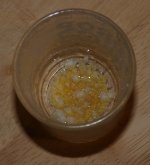
  • recrystallised+goo.JPG
    recrystallised+goo.JPG
    2 MB · Views: 0
im not sure if new members can do it, will have to check on that.. usually, after one makes a post, together with the 'edit/delete/quote' buttons on the top right of the post, there is also an 'attach' button, which one can add the images/files..
 
there is a box that says "Attatch files to this post?" tick that. or just upload your picture and put img tags around the link like so:
Code:
[img]http://www.google.com.au/logos/go_gle.gif[/img]
 

Attachments

  • IMGP8.JPG
    IMGP8.JPG
    1.8 MB · Views: 0
Great!!

as you can see in the first post in this topic i have managed to get a picture uploaded.

thanks for the help!! i appreciate it! :d

radboud

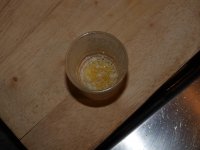
[edit: i resized the picture to test if it makes a sharper image. and yes it does!]
 

Attachments

  • recrystallised+goo2.JPG
    recrystallised+goo2.JPG
    435.3 KB · Views: 0
Back
Top Bottom