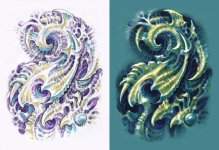
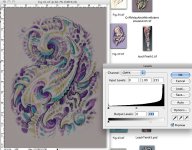
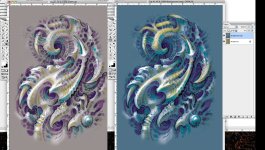
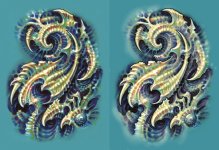
There are countless ways to make a picture, especially now that we have digital tools at our disposal. Many artists are interested in branching out from traditional analog methods into the digital world, but aren't sure where to begin. I think a good way to go is to start by mixing analog mediums with digital techniques. This can be as simple as scanning a painting and then playing around with filters and such, or it can be a much more involved process. The example I've included here mixes a number of different techniques: Plain old graphite, colored pencil, a little bit of paint, and lots of Photoshopping.
This example is from a collaborative tattoo design project that I did with my friend Don McDonald, who has done a lot of the tattoo work in my own collection. It was a greeat method to erase the geographic distance between us and be able to take turns on the project without having to mail stuff back and forth. But these same methods could apply to a non-collaborative project.
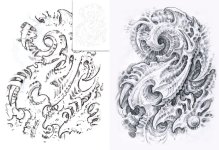
In the first two images attached below, you can see the intital sketch that Don sent me. He kept it simple so that I'd have plenty of room to play around with it. Notice the inset, where the image has been lightened to about 15% in value (do this in Levels: Command/L, then move the bottom left lever most of the way to the right). After printing this, I retraced over the whole thing in graphite, keeping much of it the same, changing other parts, and then shading it.
This example is from a collaborative tattoo design project that I did with my friend Don McDonald, who has done a lot of the tattoo work in my own collection. It was a greeat method to erase the geographic distance between us and be able to take turns on the project without having to mail stuff back and forth. But these same methods could apply to a non-collaborative project.
In the first two images attached below, you can see the intital sketch that Don sent me. He kept it simple so that I'd have plenty of room to play around with it. Notice the inset, where the image has been lightened to about 15% in value (do this in Levels: Command/L, then move the bottom left lever most of the way to the right). After printing this, I retraced over the whole thing in graphite, keeping much of it the same, changing other parts, and then shading it.