
RayTracer, those are great! Here's a trick Cyb taught me: first, go to hue/sat and drop the saturation to 0, grayscaling each of your different layers. Then take one of these layers and go to image>adjustments>selective color, choose Neutrals and start playing around with the coloring until you like what you see. Play with the blacks and whites as well, until the layer has the coloring you want. Write down the different color levels, then go to each of the other grayscale layers and set their Selective Color to the same values. There may be a shortcut to this, such as selecting all the grayscale layers at once (using the shift key) and then going to Selective Color... But I haven't actually tried this.

-
Members of the previous forum can retrieve their temporary password here, (login and check your PM).
You are using an out of date browser. It may not display this or other websites correctly.
You should upgrade or use an alternative browser.
You should upgrade or use an alternative browser.
Art Bin
- Thread starter SpireCatalyst
- Start date
Migrated topic.

Thank's Guyo!
Gonna try and implement the techniques Cyb shared with you. I value your's and Cyb's opinions, knowledge etc. I keep meaning to e-mail you some stuff for the members gallery. Thank you for the invite and your words of encouragement.
I'm consistently blown away at the Nexus's cornucopia of talent. So many unique visiions. Keep up the good fight all!
[]DEACE
Gonna try and implement the techniques Cyb shared with you. I value your's and Cyb's opinions, knowledge etc. I keep meaning to e-mail you some stuff for the members gallery. Thank you for the invite and your words of encouragement.
I'm consistently blown away at the Nexus's cornucopia of talent. So many unique visiions. Keep up the good fight all!
[]DEACE
Attachments
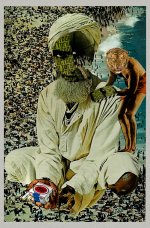


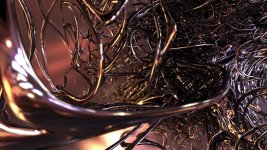
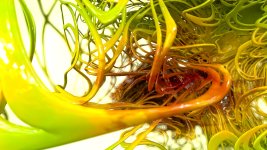
Great work RayTracer! Those images remind me of how psychedelics can generate stories in my mind as if I'm watching an exaggerated theatrical play.
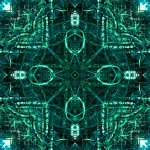
SpinCycle, holy smokes man. Those images are great! Love the energetic textures and vivid colors! Staring into your work is like getting thrown into a kaleidoscopic maze! Keep it up brother.
SpinCycle, holy smokes man. Those images are great! Love the energetic textures and vivid colors! Staring into your work is like getting thrown into a kaleidoscopic maze! Keep it up brother.

Great work, guys.
RayTracer - I really like the direction you're headed in.
RayTracer - I really like the direction you're headed in.

Here is a sketch coloured with black marker and cryons, that I would like some feedback on. What do you think of it? How can I make it more vivid, make the edges sharper, improve geometry (besides using a compass for the center figure), what kind of colouring can I use for improvement? What would you do with it or how would you do it better next time?
Attachments
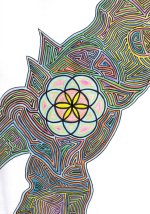

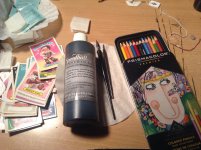
That's very pretty, Nicita. But since you asked for opinions, I suggest Prismacolor colored pencils and Speedball Super Black India ink, available at any decent art store, probably even Walmart. It'll really make it pop.
**dang it, upside photo, but you get the idea
**dang it, upside photo, but you get the idea
Attachments

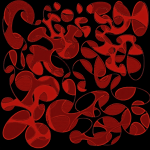
anon_003, that's fun stuff... Cosmic ectoplamatic sploosh.
Nicita, not bad... I second 112233's recommendation about Prismas. An alternate approach: sketch design lightly, add color, then use a black Prismacolor pencil to create all black lines. I personally prefer lining after color, I find that I do it more selectively that way. But ink won't work after the pencils, hence using a black pencil instead.
Also consider playing around with black paper and priamacolors, that can be a lot of fun and more closely represents CEVs.
Nicita, not bad... I second 112233's recommendation about Prismas. An alternate approach: sketch design lightly, add color, then use a black Prismacolor pencil to create all black lines. I personally prefer lining after color, I find that I do it more selectively that way. But ink won't work after the pencils, hence using a black pencil instead.
Also consider playing around with black paper and priamacolors, that can be a lot of fun and more closely represents CEVs.


Nicita - beautiful design! If you are looking for criticism, I'd have to say too much white space. It's distracting and detracts from the composition, unbalancing it and making it appear incomplete. And as noted by others, more pronounced and precise black outline would really lift it off the page!
Keep em comin'!!
JBArk
Keep em comin'!!
JBArk





Binary Drool
Rising Star
WOW steppa those are incredible! What is your process?
Steppa, that stuff is crazy! I too am curious about your workflow.
Whoah! Thank you guys! *hihi*

The process is pretty simple. First generating the fractal in Xenodream --> exporting it --> taking it over to Cinema 4D --> Adjust lightning, shaders/textures --> Rendering it --> A little postprocessing in Photoshop --> Posting it on the Nexus.
Binary Drool
Rising Star
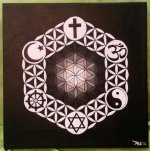
Global, surprisingly enough that is Buddhism. Often people assume the Ohm symbol is Buddhist, though it is Hindu.
Similar threads


- Replies
- 11
- Views
- 823


Members online
Total: 1,555 (members: 6, guests: 1,549)
Robots: 97
Robots: 97