Ive been using Waterfox for a while now (64-bit firefox distro) and straight out of the gate ill say its the fastest, least memory intensive (no memory crashes either) browser ive used, with the benefits of being firefox.
Ive been using a few addons through the years for protecting myself against un-necessary cookies (yeah you really need 46 cookies on 1 page), advertising and malicious activeX/Java/flash. i used to use ghostery and adblocker and they are quite good, but they do slow things down, kill revenue for ad-funded websites, and its not often you come across malicious popups so i have a question, what addons do you use and why?
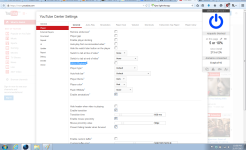
ive got down to a few addons that ill always keep and these are: YoutubeCentre(makes youtube what you want it to be, get the developer version from github), Disconnect.me (only loads essential cookies on websites like session data and password/username info) and 'Ublock origin' or 'adblock plus' (ive switched to ublock since it apparently is less memory intensive, ill let you guys know how it goes)
for chrome users a good one i found is greasemonkey (it lets you install un-google-approved addons of which disconnect is one i think)
so if anyone has any ideas for making our browsing experience better, safer/securerer or faster id like to know about it. post your ideas below. id love to know anything i can do short of using the tor network to browse anonymously too.
Ive been using a few addons through the years for protecting myself against un-necessary cookies (yeah you really need 46 cookies on 1 page), advertising and malicious activeX/Java/flash. i used to use ghostery and adblocker and they are quite good, but they do slow things down, kill revenue for ad-funded websites, and its not often you come across malicious popups so i have a question, what addons do you use and why?
ive got down to a few addons that ill always keep and these are: YoutubeCentre(makes youtube what you want it to be, get the developer version from github), Disconnect.me (only loads essential cookies on websites like session data and password/username info) and 'Ublock origin' or 'adblock plus' (ive switched to ublock since it apparently is less memory intensive, ill let you guys know how it goes)
for chrome users a good one i found is greasemonkey (it lets you install un-google-approved addons of which disconnect is one i think)
so if anyone has any ideas for making our browsing experience better, safer/securerer or faster id like to know about it. post your ideas below. id love to know anything i can do short of using the tor network to browse anonymously too.