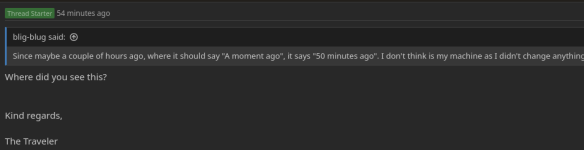
Where did you see this?Since maybe a couple of hours ago, where it should say "A moment ago", it says "50 minutes ago". I don't think is my machine as I didn't change anything.
Kind regards,
The Traveler

Where did you see this?Since maybe a couple of hours ago, where it should say "A moment ago", it says "50 minutes ago". I don't think is my machine as I didn't change anything.

Glad you found the rout cause and solved it!Okay, forget this: I cleared my cache and it stopped happening. Sorry for being dumb and not trying that before.


Anywhere where there is a recent timestamp.
View attachment 107458
But if you don't see it, it must be my system or browser somehow.
This happens on my system too, guess I'll have to clear the cache!Okay, forget this: I cleared my cache and it stopped happening. Sorry for being dumb and not trying that before.

Oops, sorry - somehow my quote of @blig-blug's post failed to get included! Apols for confusion. [It was a question about timestamp inconsistencies]I thought the Edit buttons were on a timed system, for a certain time the button lets you edit before disappearing. Thought it was a feature not a glitch?
Anywhere where there is a recent timestamp.
View attachment 107458
But if you don't see it, it must be my system or browser somehow.
Okay, forget this: I cleared my cache and it stopped happening. Sorry for being dumb and not trying that before.
It seems that manually clearing the cache is not needed (although it works), it's enough with closing the browser and opening it again. That's more convenient because it doesn't force you to log in again.This happens on my system too, guess I'll have to clear the cache!

One of the (few!) perks of being a senior, I suspect.I can edit threads going back to 2009. Weird that others cannot.
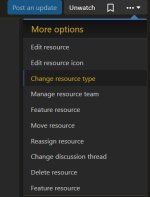
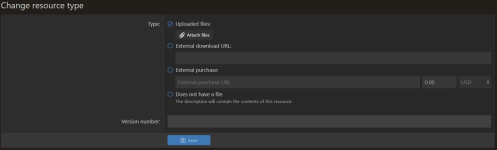
It seems that PDFs aren't an allowed file type for Resources pages. In cases like this resource, it would be good to be able to host the PDFs directly in the Nexus instead of directing to an external download. One can attach it to a comment and link to it, but if it's an option that's easy to change, I think it would be good to be able to attach it directly to the resource.


You're linking the chapter by using an appended hashtag, or some other way?Found something quirky today. When I link an internal link, the forum wants to turn it into a banner, which is cool. Example:
Resource iconDMT - Dry tek - Q21Q21's Vinegar/Lime A/B Extraction Tek
- Nydex
- dmt extraction tek q21q21's vinegar/lime a/b extraction tek
- Extraction teks
But the banner drops the part of the link that takes you to the right chapter.

The copied chapter link after pasting it into the general reply text box:You're linking the chapter by using an appended hashtag, or some other way?
https://forum.dmt-nexus.me/Nexus/q21q21s-vinegar-lime-a-b-extraction-tek.230/#230-Tek%2B2%2BThe%2BFluffy%2BWhite%2BFunfest[EMBED content="resource-230"]https://forum.dmt-nexus.me/Nexus/q21q21s-vinegar-lime-a-b-extraction-tek.230/#230-Tek%2B2%2BThe%2BFluffy%2BWhite%2BFunfest[/EMBED]https://forum.dmt-nexus.me/Nexus/q21q21s-vinegar-lime-a-b-extraction-tek.230/[URL]https://forum.dmt-nexus.me/Nexus/q21q21s-vinegar-lime-a-b-extraction-tek.230/#230-Tek+2+The+Fluffy+White+Funfest[/URL]