• Members of the previous forum can retrieve their temporary password here, (login and check your PM).

Site Quirks topic

Here's one: images hosted at imgur appear in the "edit post" window but appear as broken links in the post itself. Maybe it's a result of my browser settings so if somebody would like to check this for me to see how it behaves on their own devices I'll have a look at what tinkering with things over here may or may not achieve.

View attachment 101616View attachment 101617


Blank areas are what is currently displaying on the old forum for the equivalent post to the one I've included above.
images are missing for me as well.
using firefox.
 
This was another one I noticed with blank areas for the old forum, and broken link icons for the new forum:


i tried opera firefox and edge
 
This was another one I noticed with blank areas for the old forum, and broken link icons for the new forum:


i tried opera firefox and edge
There are certain posts with missing images due to changes in third-party hosting sites and their respective policies regading embedding of media, etc., and/or the images (or entire hosting website, even) simply getting deleted. URLs can also change, especially when going back over a decade in some cases.
 
Due to bots I mass-deleted a lot of files, and this might be one of them unfortunately.

Not sure I have a backup from long enough ago.


Kind regards,

The Traveler
 
Here's a relatively trivial observation, but intriguing nonetheless:
when switching forum style from "shades of grey" to "light theme", one of the floating "scroll to top/bottom" arrow buttons (the bottom one) disappears.

[Firefox mobile]
Same with Chromite (old Chromium engine) on Android. Also, the "next page" buttons that allow you to go to the last page of a thread disappear from the top (they're still found at the bottom).
 
Here's a relatively trivial observation, but intriguing nonetheless:
when switching forum style from "shades of grey" to "light theme", one of the floating "scroll to top/bottom" arrow buttons (the bottom one) disappears.

[Firefox mobile]
CSS issue, I'll check Saturday in de maintenance window.


Kind regards,

The Traveler
 
Here's a member migration mismatch:
On the old forum, this thread here:
was started by a member called @Alpha&omega:
but on the new forum we can see that it has been assigned to a long-inactive member, @Alpha, who stopped posting long before the aforementioned thread was created…

I think this is because of the ampersand in the OP's username, btw.

The member in question signed up to the old forum at the end of Sept 2023.
 
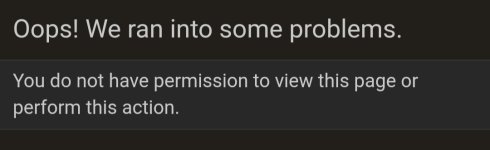
I'm unsure if this is intentional, but pictures in profile posts can't be magnified or opened in a new tab.
Seems to work for me.

1758929786999.png

What browser and OS did you try this on?

And do you have the same issue on your smartphone or with another browser?


Kind regards,

The Traveler
 
It's what @Sakkadelic shows, yes. I'm using Firefox on Linux.
I can zoom into the page itself (that's a browser function after all), but I can't magnify it by clicking on it in the way it's possible with an image in a normal thread, or open it in a new tab.
The "magnify it by clicking on it" that I mean is for example this:
Screenshot_2025-09-27_08-41-51.png
Being unable to do that doesn't matter much, but if the image contains text it helps to be able to open it in a new tab.
 
Yes, I just tested it on Chrome and it's the same. Makes sense as it seems to be a permissions issue. Sorry for my poor initial explanation of the issue, it didn't make clear what I meant with "magnifying".
It looks like it was indeed a permission issue, this should be solved now.


Kind regards,

The Traveler
 
Here's a member migration mismatch:
On the old forum, this thread here:
was started by a member called @Alpha&omega:
but on the new forum we can see that it has been assigned to a long-inactive member, @Alpha, who stopped posting long before the aforementioned thread was created…

I think this is because of the ampersand in the OP's username, btw.

The member in question signed up to the old forum at the end of Sept 2023.
@The Traveler - Any thoughts on this matter of lost accounts? There may be others, possibly containing ampersands or other symbols, which have been lost in migration.

[Do we know if the user in this particular instance has checked their PM on the old forum? As a one-off, it may seem trivial, other than the date o/ thtir last contact with the forum coincides exactly with the date of the migration. I'd be inclined to see just how many previously-active members may have lost contact as a result of 'migration glitches' like this.]

Incidentally, does this mean that ampersands are forbidden from being used in usernemes here on the new forum? Or just that the migration tool may have truncated and mis-assigned some username correspondences because of them?

Probably this is low priority as a whole, but it's now a little puzzle that's bugging me because I wanted to check some things as part of my duties and this curiosity occurred as a specific stumbling block.
 
Back
Top Bottom